YouTube URLs — especially with timestamps or playlist parameters — get long and awkward fast. ShortQR's free YouTube link shortener turns any video, channel, or playlist URL into a short, clean link you can drop into a bio, description, or comment without it looking cluttered.
What Is a YouTube URL Shortener?
A YouTube URL shortener converts long video, channel, or playlist links into a short, clean link that redirects to the exact same destination — including timestamps — making them easier to share in bios, descriptions, and comments.
Why Shorten YouTube Links?
Clean, Shareable Links
Full YouTube URLs with timestamps or playlist parameters are long and messy. A ShortQR link replaces that mess with something short and clean instead.
See What's Actually Working
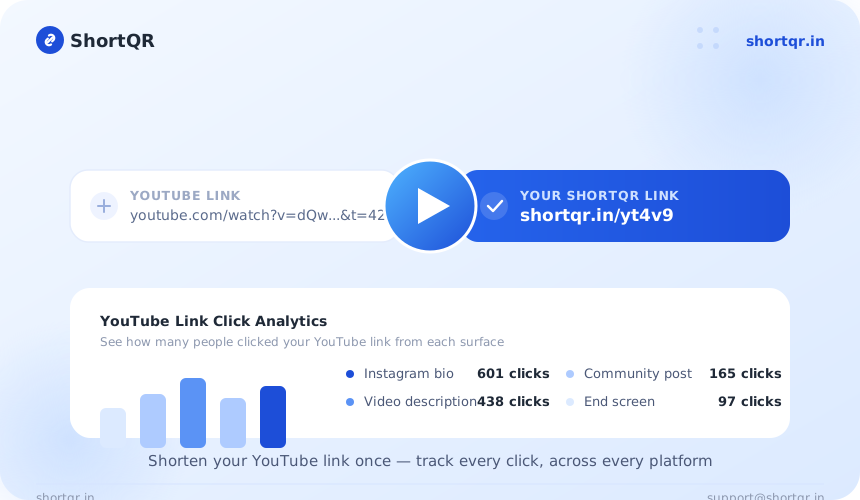
Use a separate short link on each surface — Instagram bio, video description, community post — and compare click counts to see which one drives the most views.
Ready for Print or QR Instantly
A short link is far easier to fit on a poster, business card, or on-screen text than a long YouTube URL. Pair it with ShortQR's QR Code Generator and you have a scannable version in the same click.
How to Shorten a YouTube Link
- Copy your YouTube link — a video, channel, or playlist link.
- Paste it into the box above and click Shorten URL.
- Copy your new short link — ready to share immediately, no signup required.
- Check your click stats anytime from your ShortQR dashboard to see how many people clicked.
Paste Your YouTube Link
Copy your video, channel, or playlist link and paste it into the box above.
Click Shorten
ShortQR generates a short, working link instantly — no signup, no waiting.
Share & Track Clicks
Copy your new short link and share it anywhere. Check your dashboard anytime to see total clicks.
Common Use Cases
- Instagram or TikTok bio: Fit a clean YouTube link in your bio where character space is limited.
- Video descriptions: Share a short link to another video or playlist inside a description.
- Community posts: Drop a clean link in a YouTube community post instead of a long URL.
- Print & on-screen: Display a short, readable link on a poster, flyer, or during a live stream.
- Multiple campaigns: Create separate short links for the same video across different platforms to compare which source drives the most views.
Benefits of Shortening a YouTube Link
- Cleaner, more readable links in bios and descriptions
- Easier to type, remember, and share across other platforms
- Keeps the exact same destination, including timestamps
- Includes free click tracking to see how many people clicked
- Can be turned into a QR code instantly for print materials
Frequently Asked Questions — Free YouTube Link Shortener
How do I shorten a YouTube link for free?
Paste your YouTube video, channel, or playlist URL into ShortQR's free YouTube link shortener and click Shorten to get a short link instantly, with no signup needed.
Does a shortened YouTube link still play the correct video?
Yes, it redirects straight to the exact video, channel, or playlist you shortened, including any timestamp — nothing changes about playback.
Can I track clicks on a shortened YouTube link?
Yes, ShortQR shows total click counts on the shortened link, useful for measuring traffic from Instagram bios, ads, or other platforms pointing to your YouTube content.
Is the ShortQR YouTube link shortener free to use?
Yes, shortening YouTube links with ShortQR is completely free with no signup and no limit on how many links you create.
Why shorten a YouTube link instead of sharing the full URL?
Full YouTube URLs, especially with timestamps or playlist parameters, are long and awkward in bios, video descriptions, or on-screen text — a short link is cleaner and easier to remember.
Conclusion
A YouTube URL shortener gives you a clean, shareable link without changing where it points. Whether it's in a bio, description, or community post, a short link from ShortQR is easier to read, share, and track — and it's free with no signup.
Ready to try it? Shorten your YouTube link now — free, no signup required.